 Rhine-o
Tournaments, Sequences & History
Once you’ve shaken teams, Team Shake can also help you run a competition between them. Tournament brackets are part of Team Shake Plus.
Tournament brackets
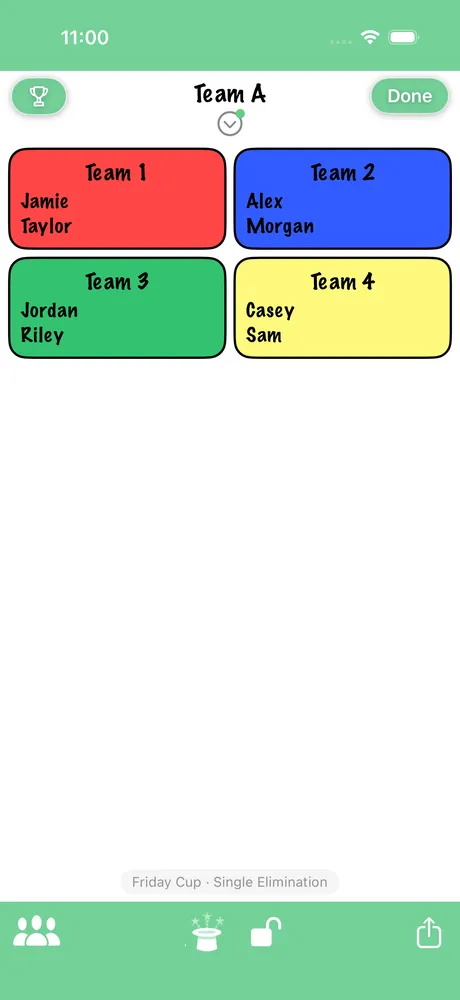
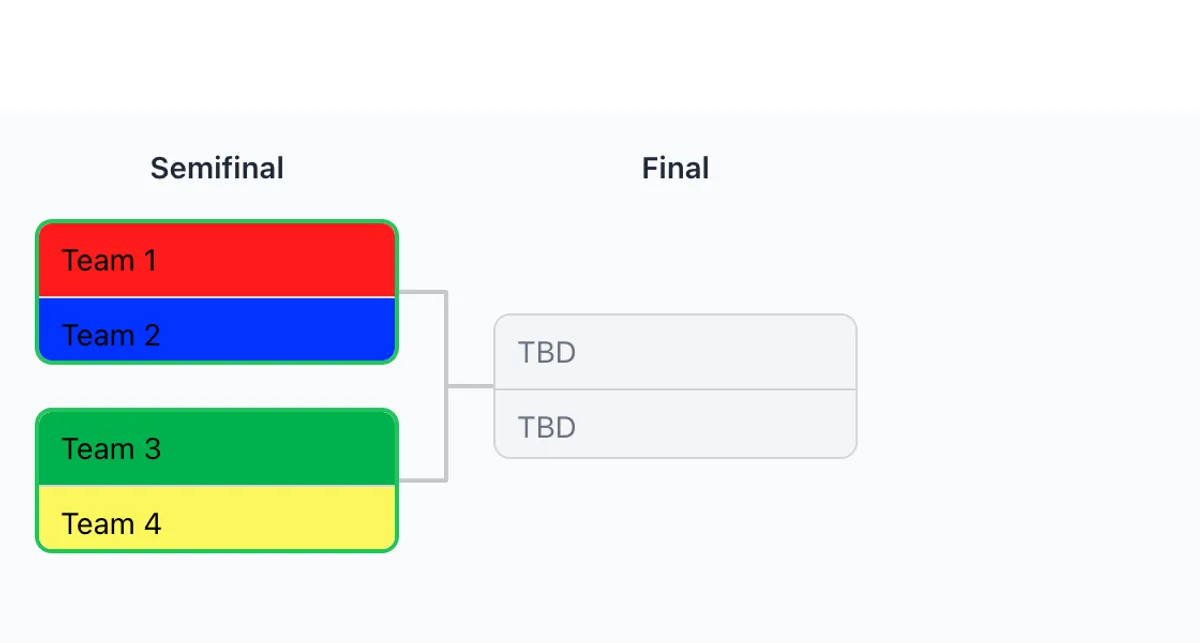
A tournament bracket created from shaken teams.
Start a tournament from the results screen (Tournament on the web, Start Tournament in the share menu on iOS and Android). Team Shake builds a bracket from the teams you just made. Choose from:
- Single Elimination
- Double Elimination
- Round Robin: each team plays the others once or twice, with standings that update as you enter results. On the web you can choose 1 or 2 meetings and whether a win is worth 3 points or 1.
- Two Sides Bracket: draws the bracket like a March Madness bracket, with the teams split between left and right and meeting at the final in the middle.
Tap a match to enter its score, or just pick the winner. Scores can be any whole numbers, and the winner moves to the next round automatically.
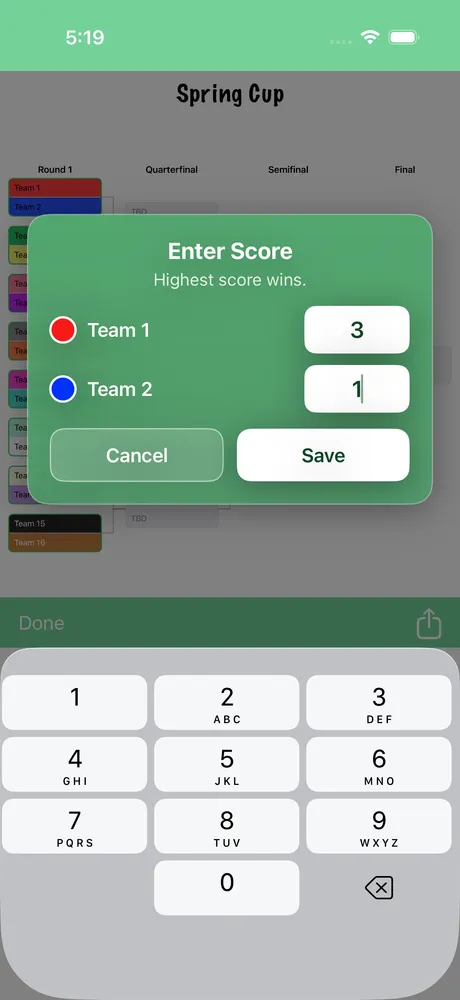
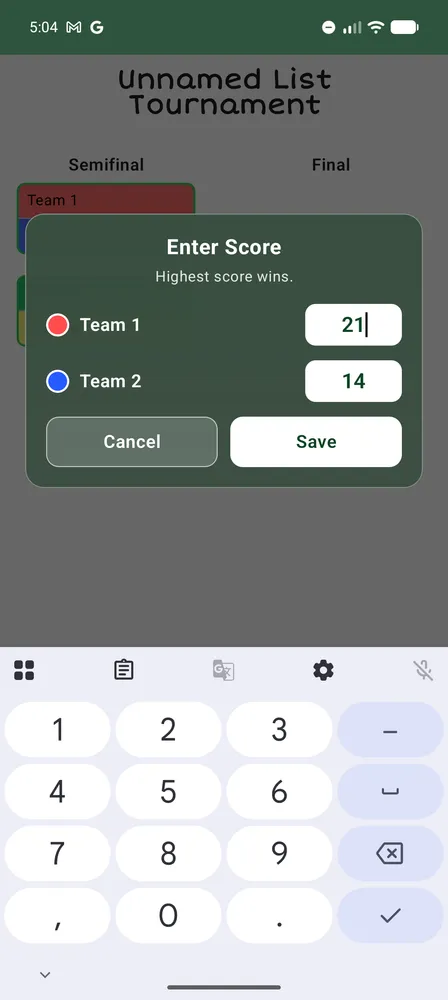
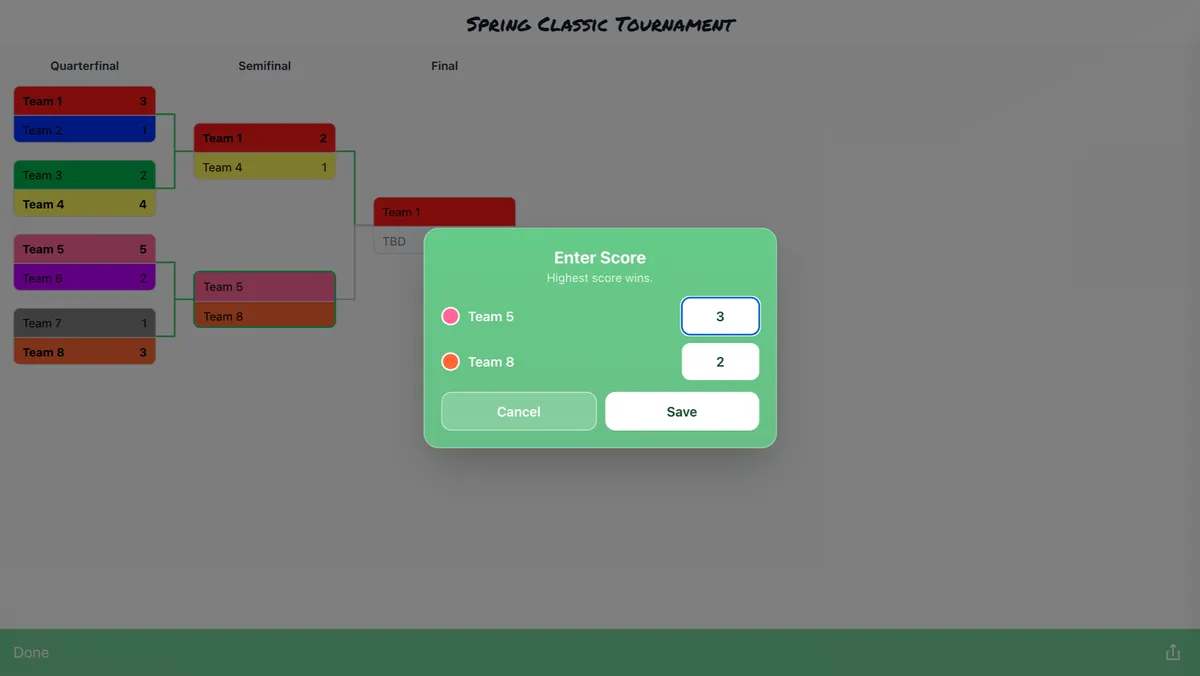
Entering the score for the next match; scored matches stay in the bracket behind it.
With more teams the bracket simply grows by another round. Here is a 16-team single-elimination tournament part-way through, with the first rounds scored and the final still waiting:
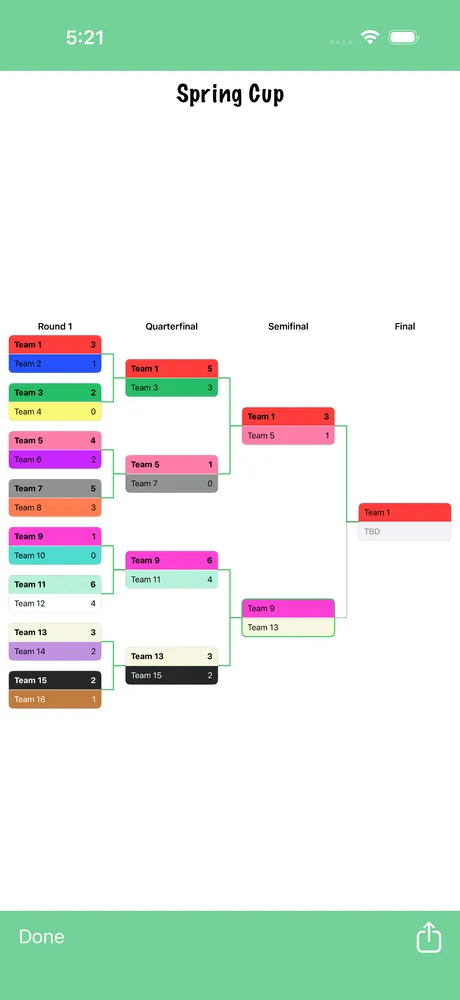
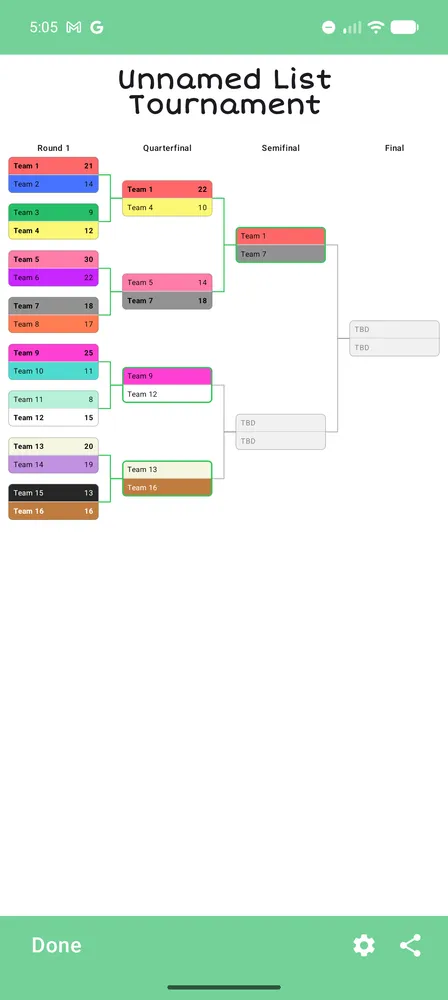
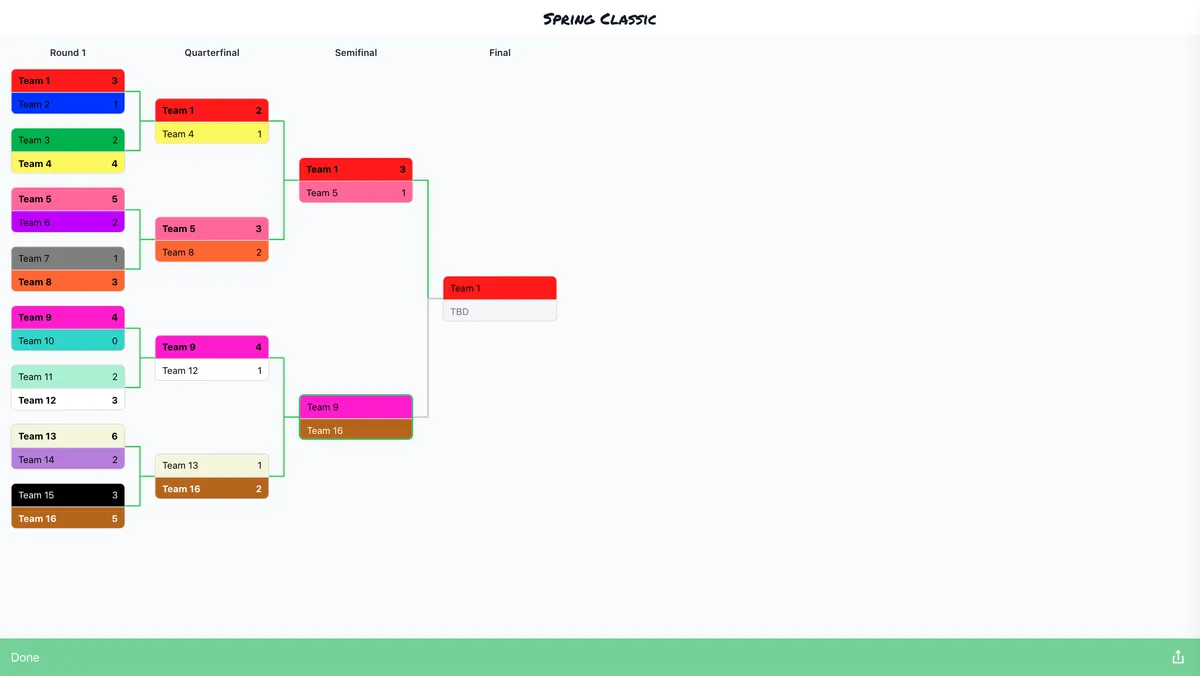
A 16-team bracket: Round 1 and the quarterfinals scored, one semifinal played, the other ready to play.
If you change a result that’s already entered, Team Shake asks you to confirm, because later rounds may change.
Options that affect brackets:
- Low Score Wins: the lower score wins, for golf, timed events and similar. Turning it on or off re-checks results already entered.
- No Scoring: brackets don’t ask for scores; you just pick the winner of each match.
- Two Sides Bracket, and Team Color to fill each team’s cells with its color.
Sequences
A sequence is a series of team rounds for the same list, with scores and a standings table. Use it for events where the teams change each round. Start one with New Sequence.
Each round shakes new teams from the same list. Enter every team’s score for the round, and the standings table adds up the total and shows each round’s score beside it. Choose how points are awarded, for example 3 Pt Winner: 3 points for a single winner, or 1 point for each team tied for the win.
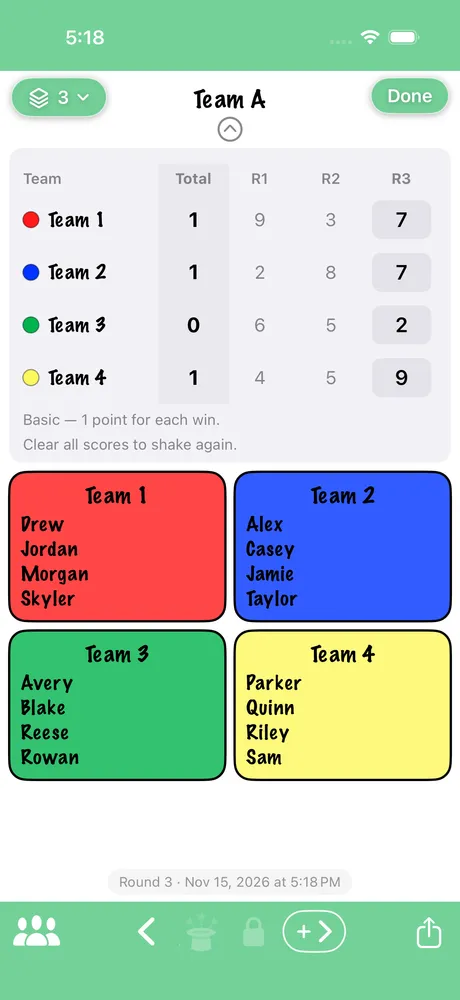
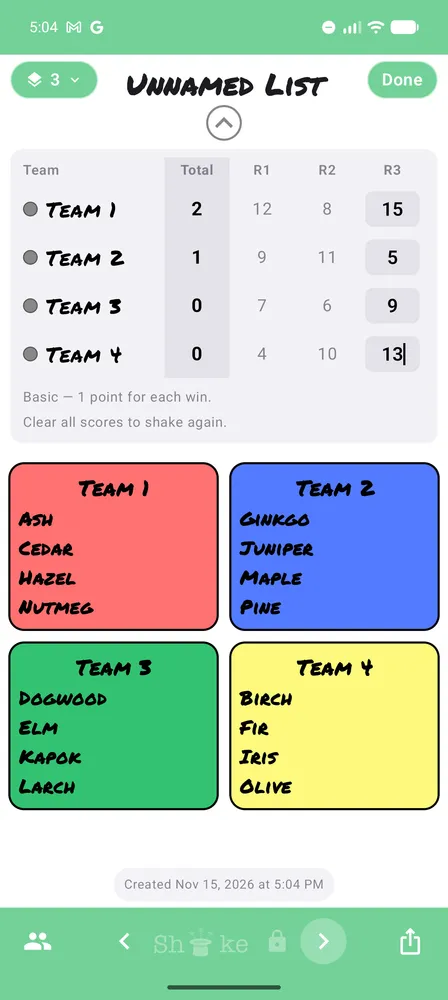
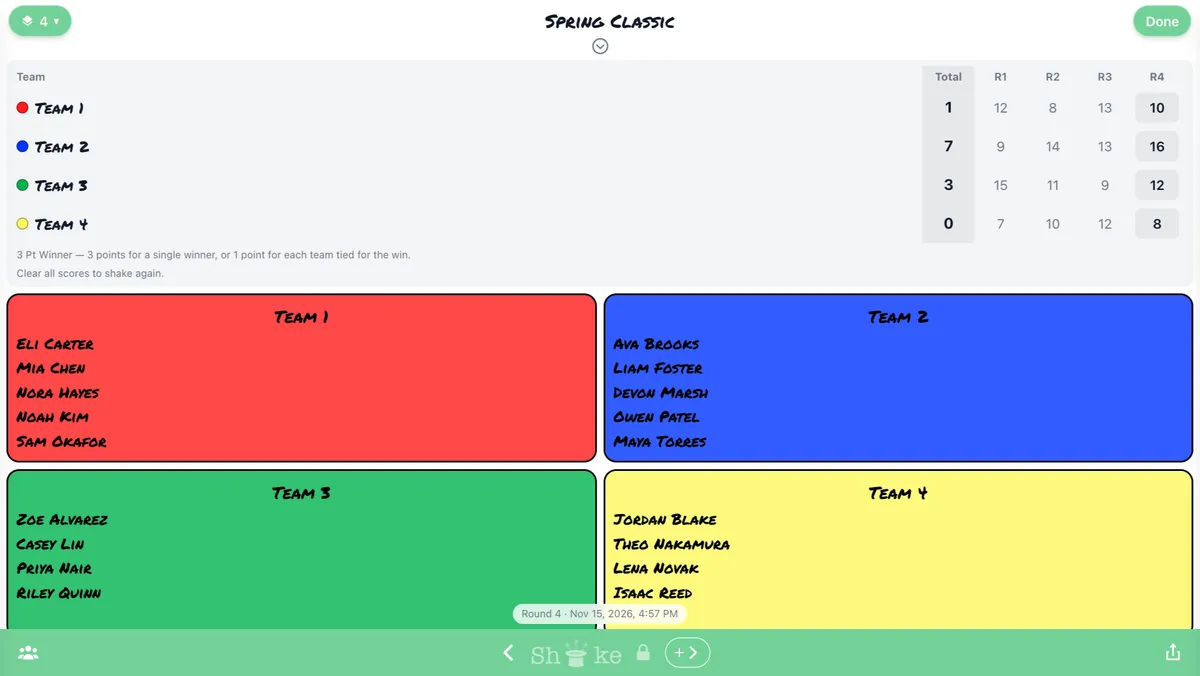
A four-round sequence: totals and each round’s scores for every team, with the current round’s teams below.
Team History
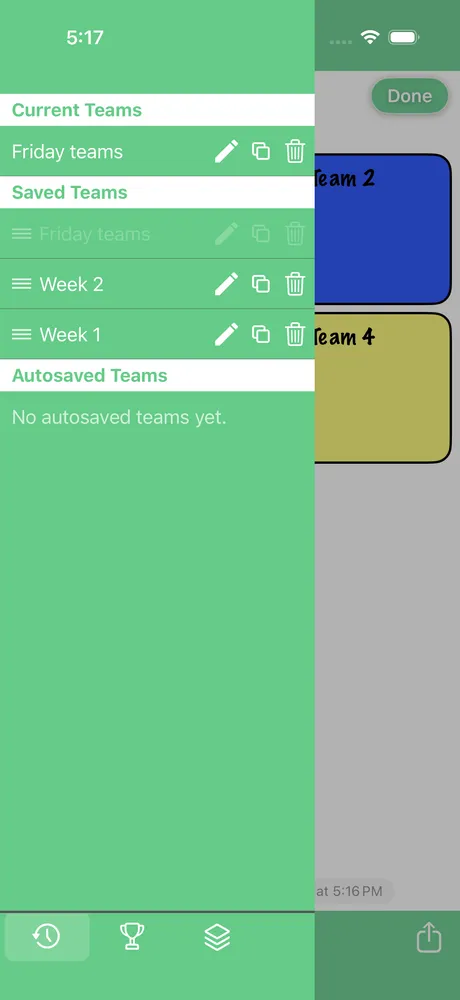
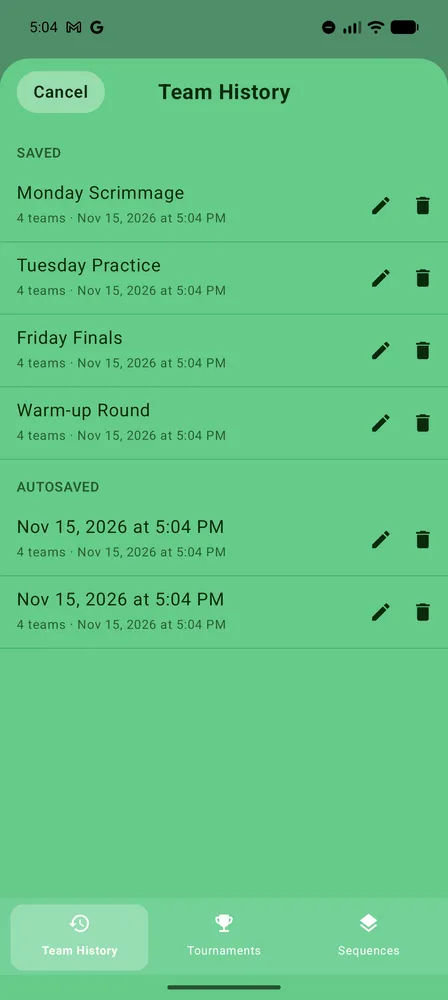
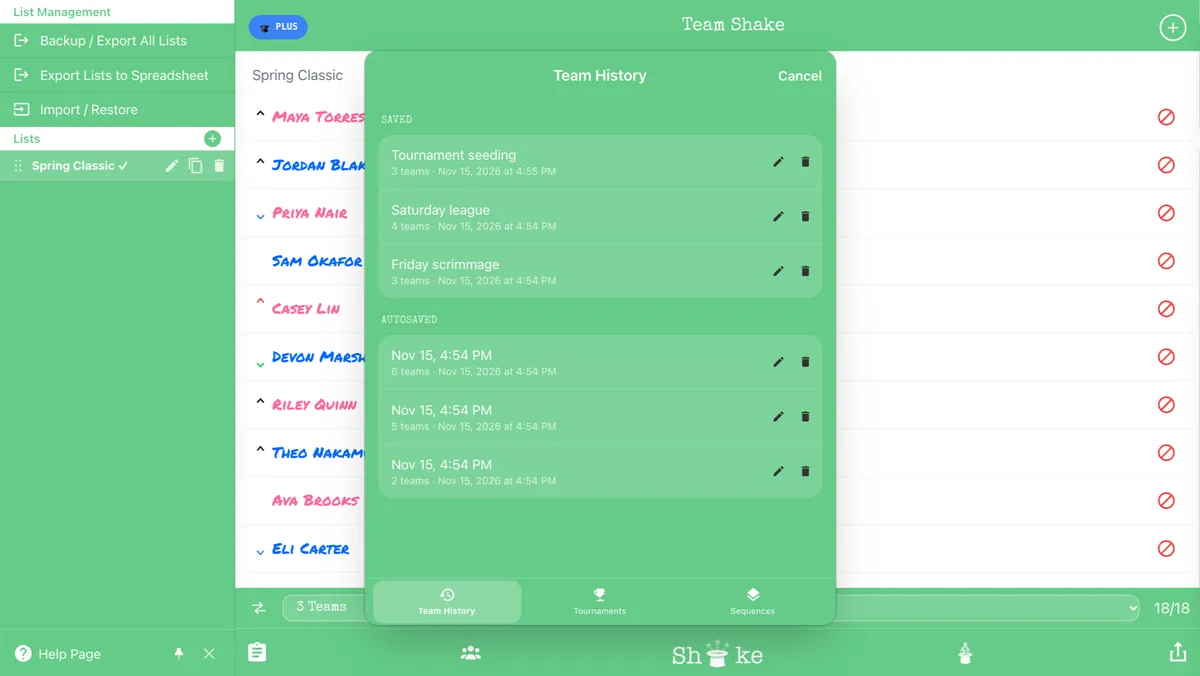
Team History, with each saved and automatic shake for the list.
Save Teams stores a result in the list’s history. Team Shake also saves shakes automatically. From Team History you can rename, duplicate, delete and reorder results, and reopen a past shake. Open it from the bottom bar (the history or More options button, depending on your platform).